Setting up a hacking lab is the first real hurdle in learning ethical hacking, and it’s where a lot of people quit before they ever run a scan.
You have to install VirtualBox, find the right Kali image, import it, figure out the networking, and then fix the tools that ship broken or missing. None of that is hacking. It’s just the toll you pay to get to the hacking.
So I built Pimp My Hacking Lab: a free Windows tool that does that whole setup for you with one double-click.
What it does
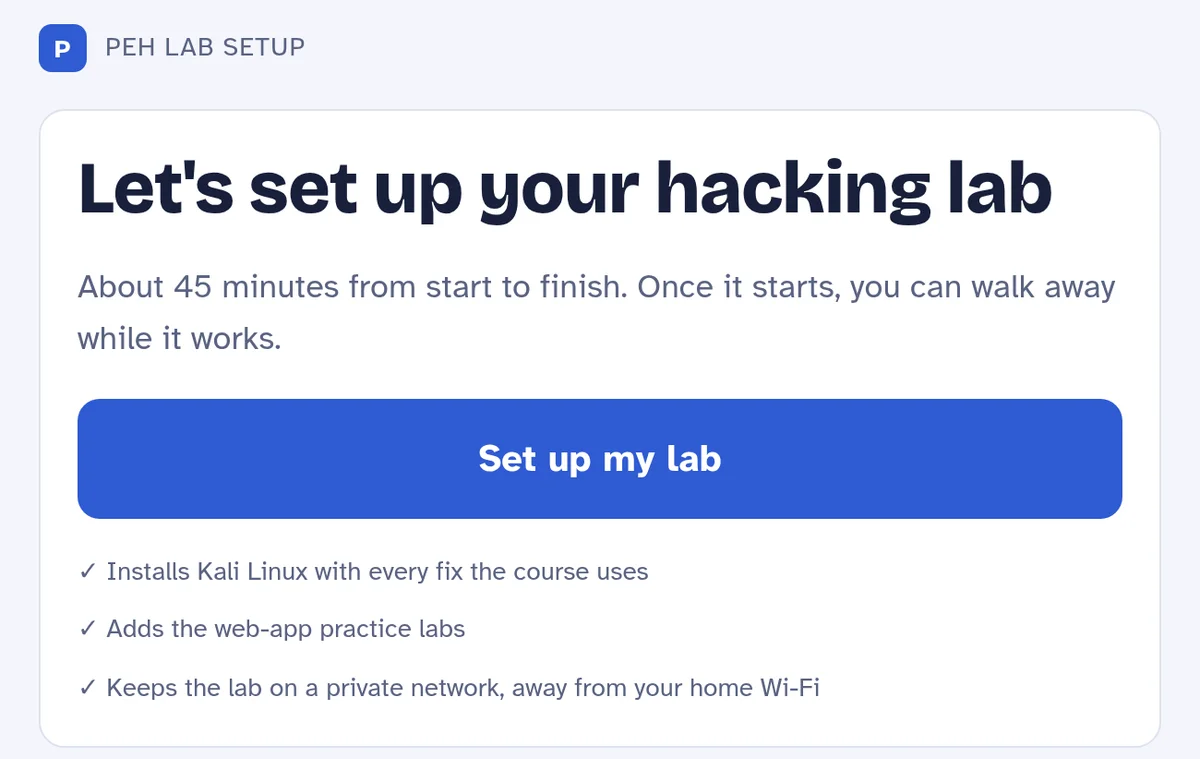
You download one file, peh-lab-setup.exe, and run it. A page opens in your browser with one big button: Set up my lab. From there it:
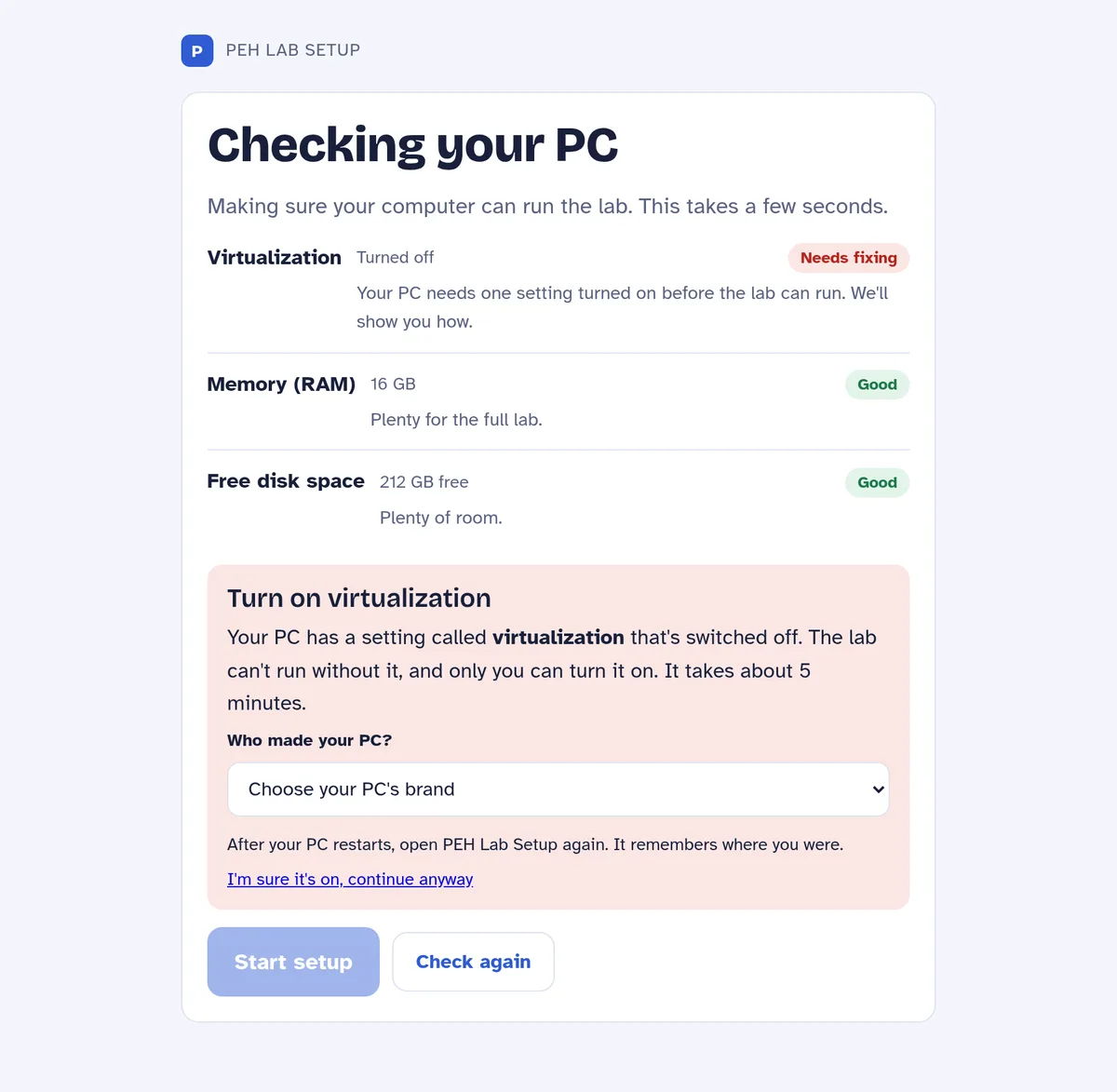
- Checks your PC first. It looks at virtualization, memory and disk space before downloading anything, so you don’t wait through a 4 GB download only to find out your PC can’t run it.
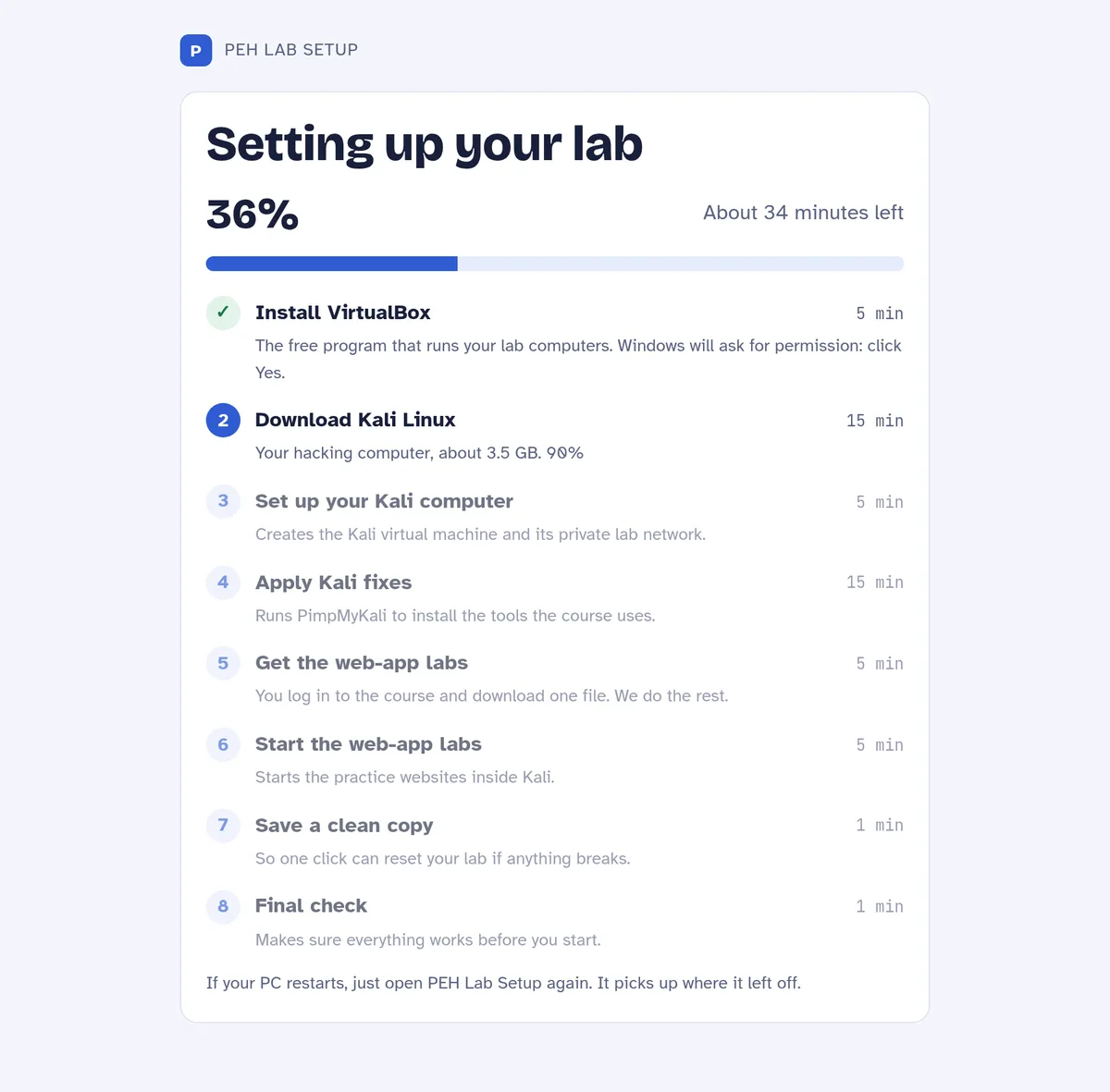
- Installs VirtualBox, the free program that runs your lab computers. Windows asks for permission once.
- Downloads the official Kali Linux VirtualBox image and imports it as a VM called Kali (PEH).
- Runs PimpMyKali inside Kali to install and fix the tools the course uses.
A few things happen in the background that you’d otherwise have to know to do yourself:
- Your lab stays off your home network. Kali gets two network adapters: NAT so it can reach the internet, and a private host-only network for lab traffic. It’s never bridged onto your home Wi-Fi.
- Every download is checked. Each file is pinned to an exact version and verified against its SHA-256 hash before it’s used, so a corrupted or tampered download gets caught.
- It picks up where it left off. If your connection drops, downloads resume. If you close the tool or your PC restarts, run it again and it continues from the last finished step.
Why “Pimp My Hacking Lab”?
The name is a nod to Dewalt, who wrote PimpMyKali. If you’ve taken a TCM course, you’ve probably run his script, because it’s been fixing broken Kali installs for students for years.
This tool doesn’t replace PimpMyKali. It runs it, so you get his fixes without having to open a terminal. Go give the repo a star.
If virtualization is off, it tells you how to fix it
The most common blocker for a new lab is a setting in your PC’s BIOS called virtualization (Intel calls it VT-x, AMD calls it AMD-V or SVM). If it’s switched off, no virtual machine will run, and no software can switch it on for you.
Pimp My Hacking Lab checks for this up front. If it’s off, it asks who made your PC and shows you how to turn it on for that brand:
The caveat: Windows may already be using virtualization
This is the problem that cost me the most time while testing, and it’s one you can hit even when virtualization is turned on.
Newer versions of Windows can run their own hypervisor, the layer that runs virtual machines, underneath Windows itself. Once Windows’ hypervisor is running, it holds the CPU’s virtualization features, and VirtualBox can’t use them directly. VirtualBox falls back to running on top of Windows’ hypervisor instead, which is slower and doesn’t always work.
On one of my test PCs (real hardware, an Intel i9-14900K), it didn’t work at all. VirtualBox fell back to Windows’ hypervisor, and Kali froze during boot right after a graphics message (vmwgfx: unsupported hypervisor). It never reached the login screen. Changing VirtualBox’s graphics settings didn’t help.
Several Windows features turn this hypervisor on:
| Feature | Where you’ll find it |
|---|---|
| Memory Integrity (Core isolation) | Windows Security → Device security |
| Hyper-V | Windows Features |
| Virtual Machine Platform (used by WSL2 and Docker Desktop) | Windows Features |
| Windows Hypervisor Platform | Windows Features |
| Credential Guard | Usually only on work PCs managed by an IT department |
The one most likely to catch you is Memory Integrity, because many new PCs ship with it turned on and you’ve probably never touched it.
Check whether Windows’ hypervisor is running
- Press Windows + R, type
msinfo32and press Enter. - With System Summary selected, scroll to the bottom of the list on the right.
- If you see “A hypervisor has been detected. Features required for Hyper-V will not be displayed.”, Windows’ hypervisor is running.
Turn off Memory Integrity
- Open Windows Security from the Start menu.
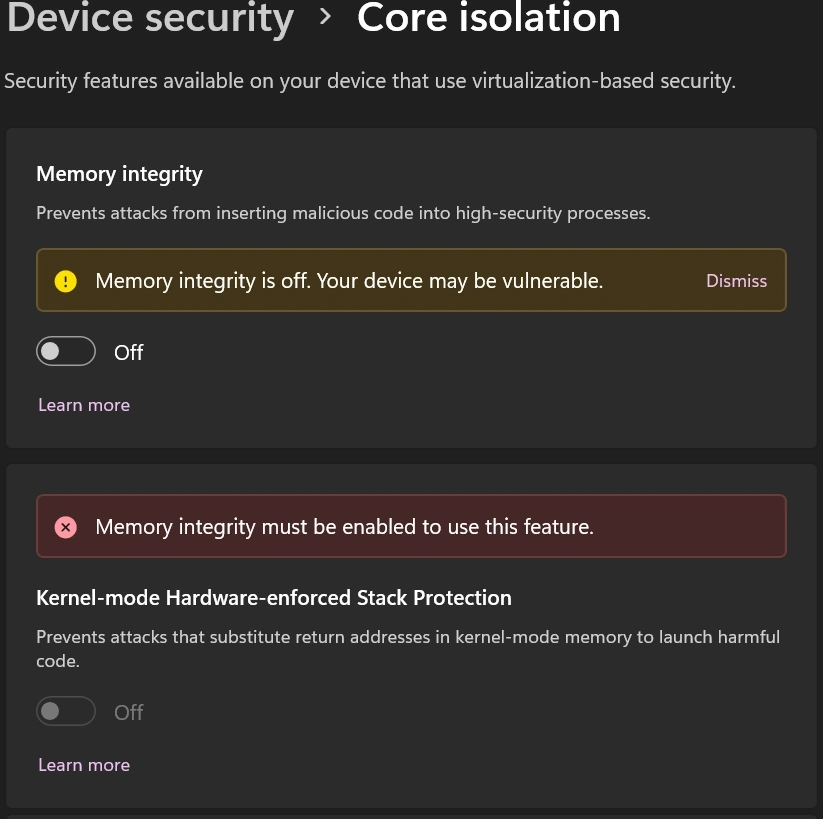
- Go to Device security, then click Core isolation details.
- Switch Memory integrity to Off.
- Restart your PC.
Turn off the other features
- Press Windows + R, type
optionalfeaturesand press Enter. - Untick Hyper-V, Virtual Machine Platform and Windows Hypervisor Platform if any are ticked.
- Click OK and restart.
Turning off Virtual Machine Platform stops WSL2 and Docker Desktop from working until you turn it back on, so only do this on a PC where you don’t need them.
Run msinfo32 again after the restart. If it still says a hypervisor has been detected, open Terminal (Admin) and run:
bcdedit /set hypervisorlaunchtype offRestart once more. To undo it later, run the same command with auto instead of off.
Know what you’re trading
Memory Integrity is a real security feature. It uses the hypervisor to stop malicious or vulnerable drivers from tampering with the core of Windows. Turning it off makes your PC a little easier to attack.
For a dedicated lab PC, that’s a fair trade. On your everyday computer, consider turning it back on when you’re not using the lab.
Try it (testing release)
Pimp My Hacking Lab is an early testing build. It works on my test machines, but I want to know how it behaves on yours. Run it on a PC (or a Windows VM) you don’t mind experimenting on.
- Download
peh-lab-setup.exefrom the latest release. - Double-click it. A page opens in your browser.
- Click Set up my lab. Expect about 4 GB of downloads and plenty of free disk space.
- When it finishes, open VirtualBox, double-click Kali (PEH), and log in with username
kaliand passwordkali.
Windows SmartScreen may warn you about an unrecognized app, because the exe isn’t code-signed yet. Click More info → Run anyway only if you downloaded it from the repo’s releases page.
The web-app practice labs from the Practical Ethical Hacking course are on the way. The installer already shows those steps, but this build sets up VirtualBox, Kali and PimpMyKali.
Whether it works or breaks, open an issue on GitHub. If something fails, click Copy help bundle and paste it into the issue. The bundle leaves out your username and home folder.
Pimp My Hacking Lab is an unofficial community tool, and the source is on GitHub under the MIT license.